Prior to engaging the autopilot, ensure you have a stable, sustainable airspeed and vertical speed (you will be in Roll mode and VS mode when you engage, and you don’t want to stall because your vertical speed was not sustainable).
Also set your heading bug prior to engaging, since you will most likely want to go to HDG mode next.
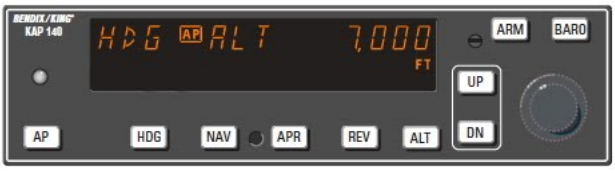
After pressing any button or turning a knob, check both rows. Is anything ARMed, and was that your intent? Remember: top row is current, bottom row is what is next (exception: Altitude doesn’t indicate your actual altitude).
Remember, changing the target altitude (knobs) does not initiate a climb or descent. It only sets (and ARMs) a new target altitude. If you don’t establish a climb or descent in that direction, you will never get there. (One exception: turning the knob prior to engaging the AP does not arm. In this case you need to press the ARM button to arm.) Initiating an autopilot climb or descent, set the target altitude knobs before changing into vertical speed mode. This way, if you get distracted you still have the target set. You’ll be less likely to descend into the ground, for example.
If you want to quickly establish AP operation with a heading and constant altitude, follow this sequence: set your heading bug (push the MFD’s HDG button and adjust), engage the autopilot, immediately press the autopilot’s ALT button to toggle out of VS and into Altitude Hold mode. Press the autopilot’s HDG button to hold desired heading. Expect the auto-trim to work for a few seconds. Monitor to confirm you are holding stable altitude.